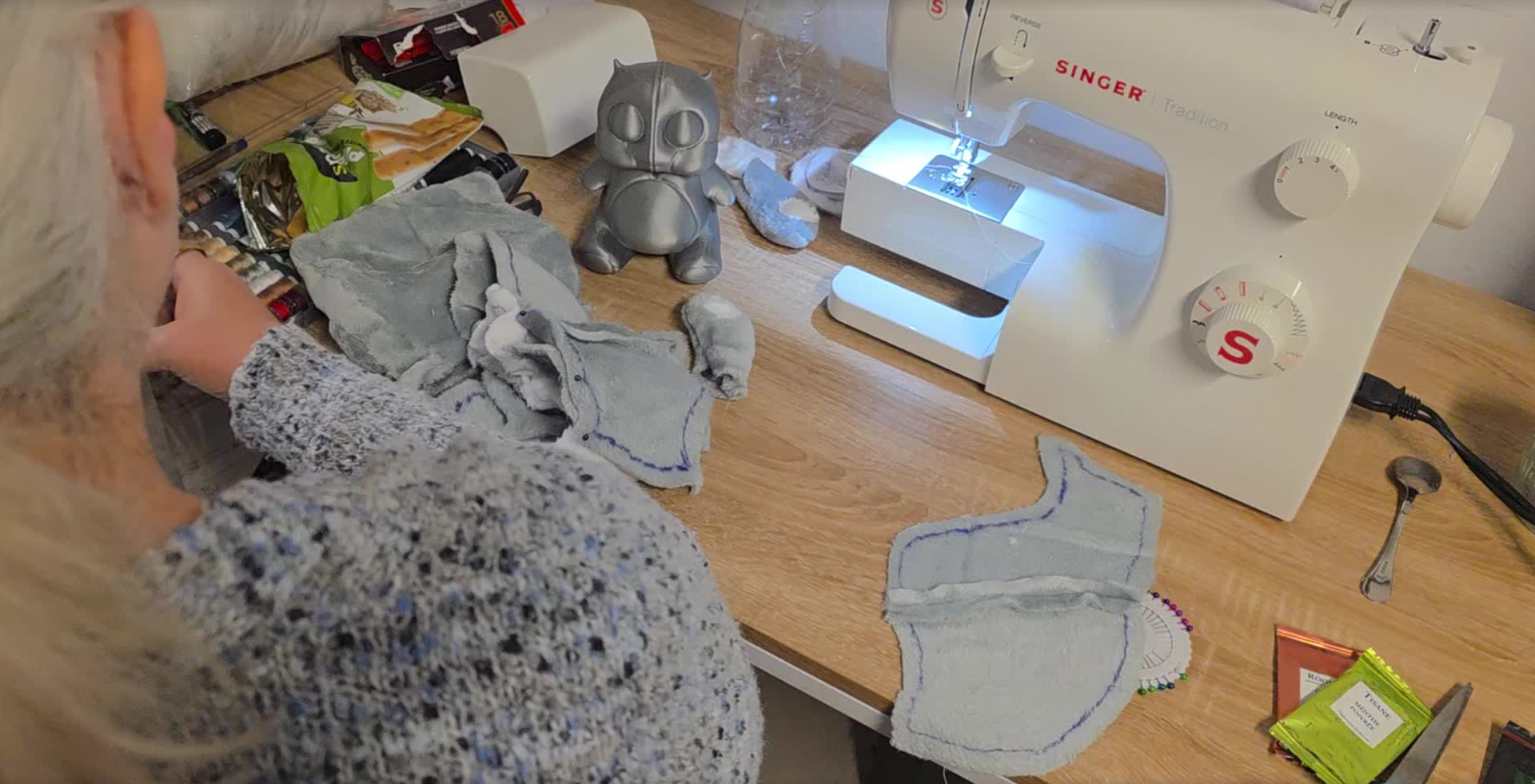
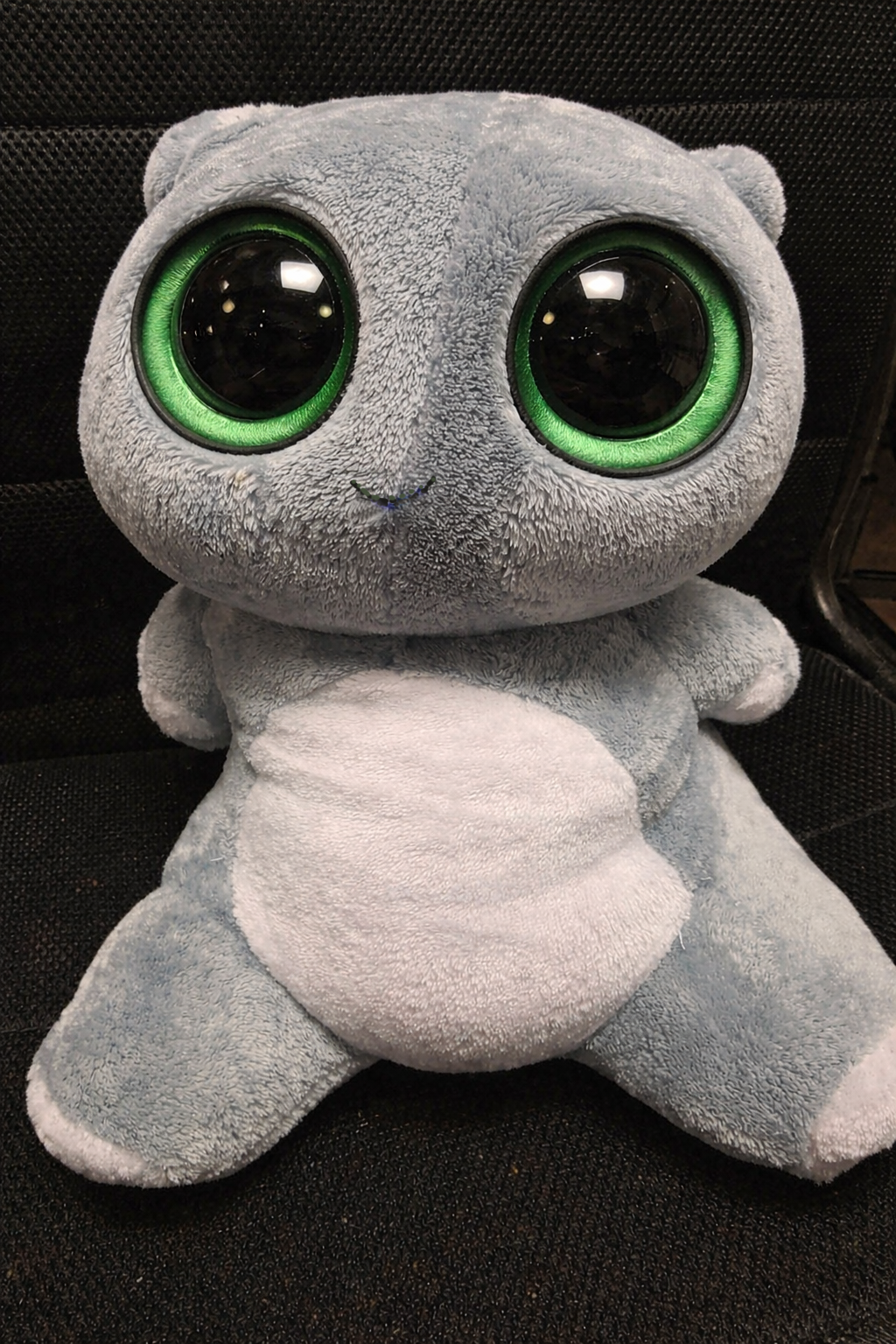
As we’re making the Your First Character series, we’re also making a film that heavily features this Wobbler, in which he appears both in the finely sculpted form that you’ve seen in these tutorials, but also as a child’s teddy.
My theory was that if I made the teddy bear version of the Wobbler in 3D, and unwrapped it, I could then print the UVs out and they could be used as a pattern - cut them in fabric, sew them back together, stuff them, and you’ve got a Wobbler teddy.
I think it’s a neat illustration of how everything in VFX has a real world equivalent.
So here’s those steps illustrated:
Step 1 - Concept the teddy version of the Wobbler, figuring out where the seams would go
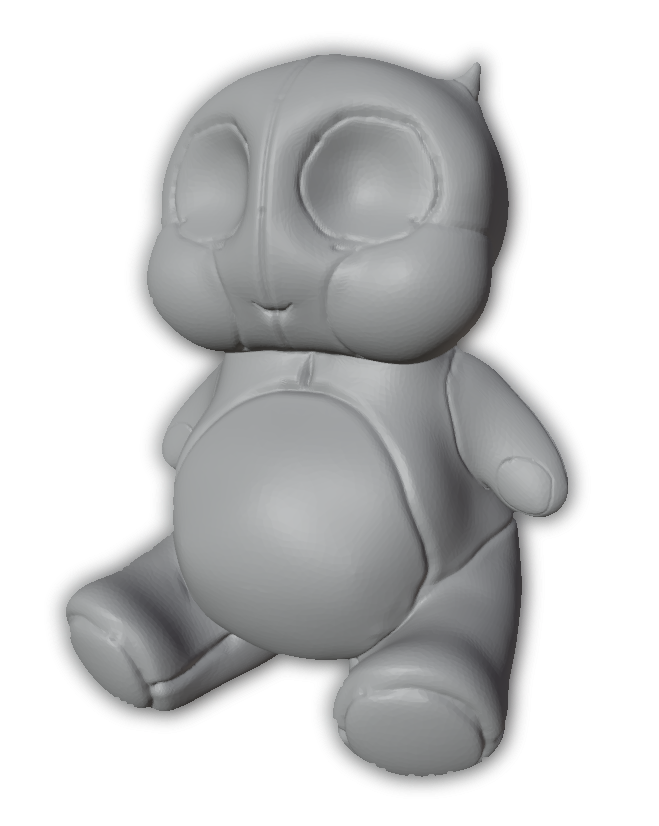
Step 2 - Create a topology that follows those seams, and unwrap the model along those areas (you’ll actually know how to do that when you’ve watched this week’s content
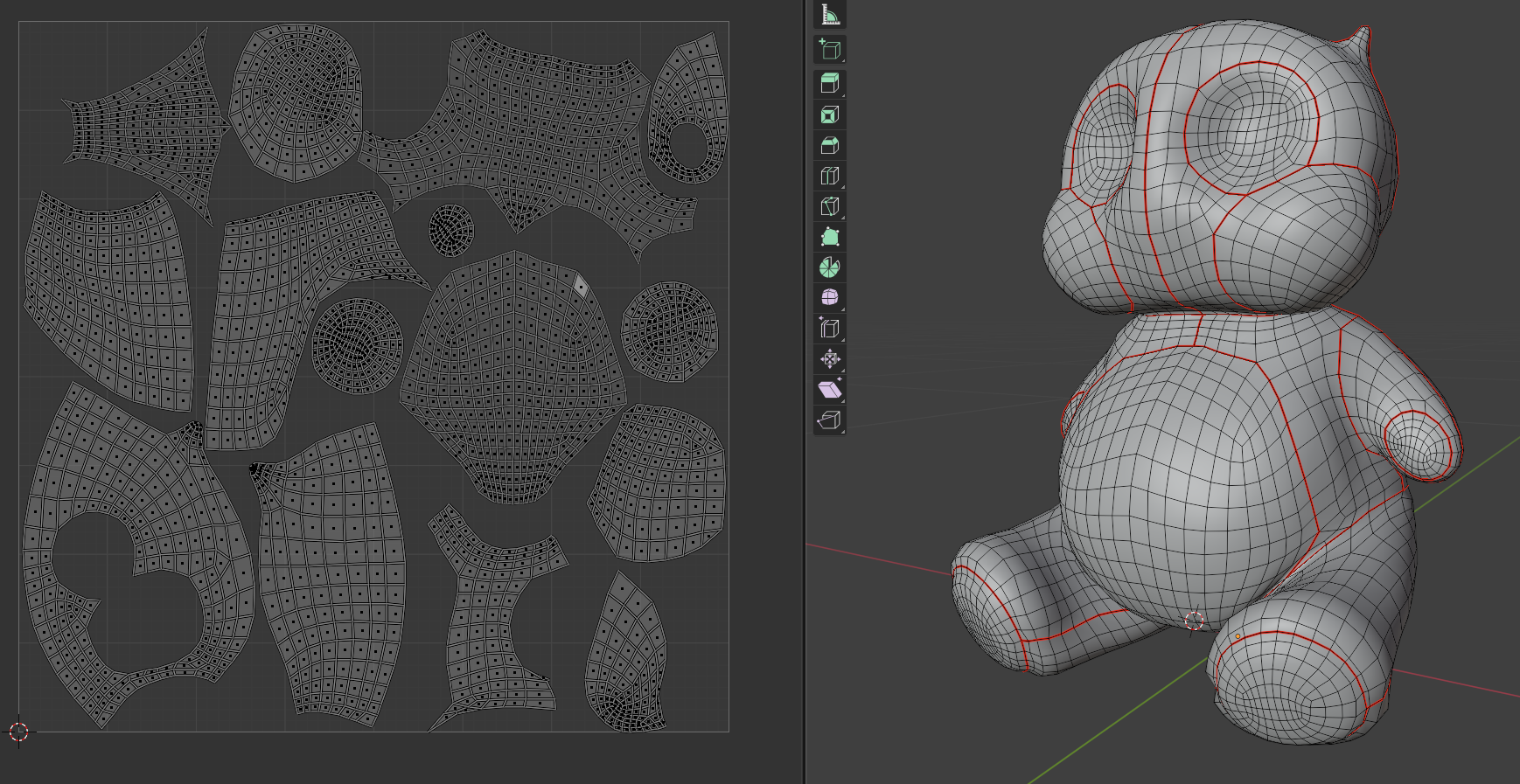
Step 3 - Unwrap the model, and print out those UVs
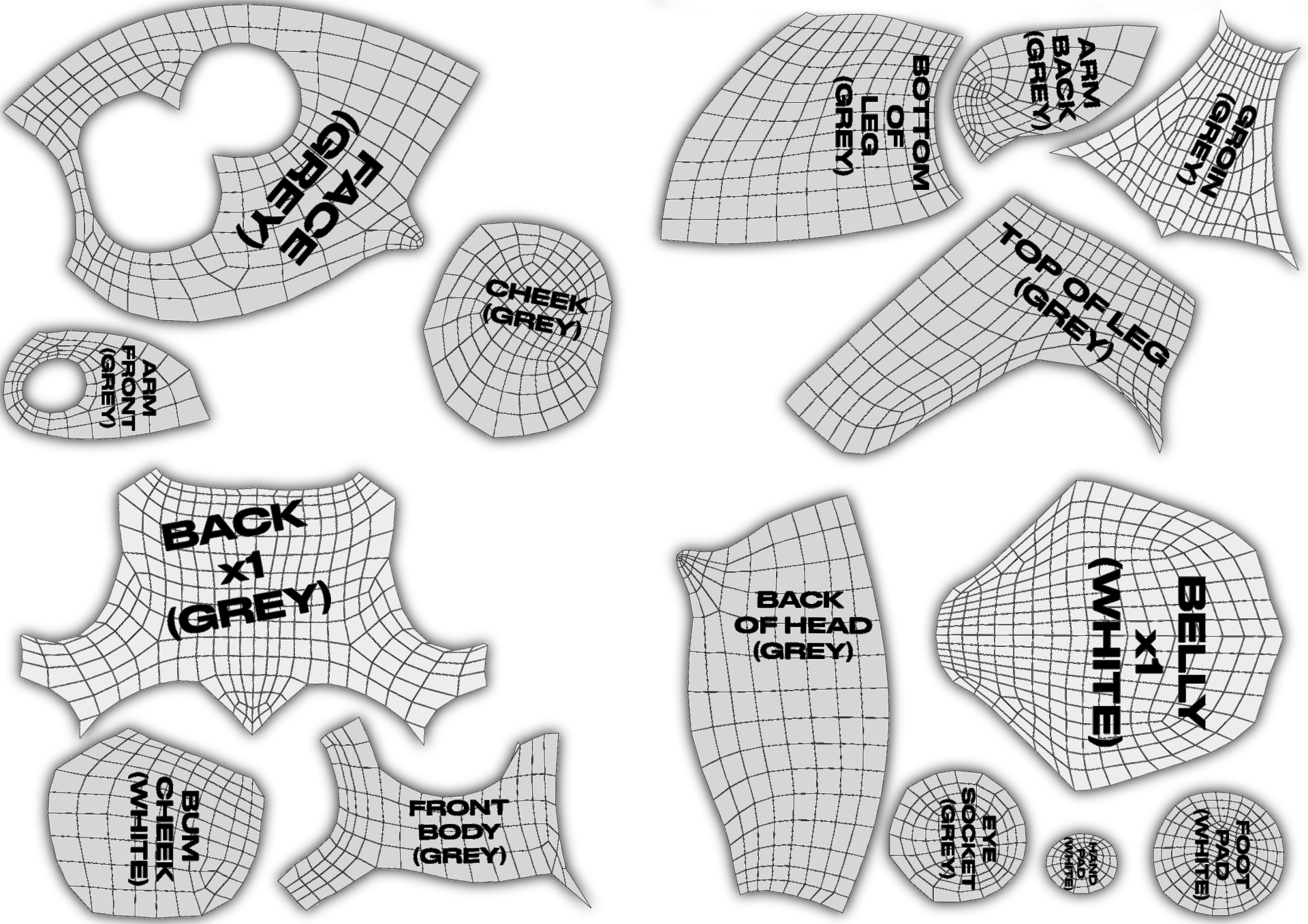
Step 4 - 3D print the original concept as a guide. Then get your mum to cut the cloth and sew them together (honestly, I would’ve done it myself, it just happened my mum was in town, and I was busy creating this week’s content…)