
Jul 2
/
Christian Bull
A KEY CONCEPT TO LEVEL UP YOUR COMPOSITION
ON RULES
I'm not big on rules in filmmaking. I'm not against them, but I'm against the idea of having them, because it implies that the creative process can be boiled down to something like putting together IKEA furniture. Just follow the rules, and everything will be ok - but of course then everything will be the same.
With that in mind, I'm not a fan of the rule of thirds when it comes to composition. If you're not familiar with it, the idea is that you divide your frame into thirds, and then you place your areas of interest on those thirds. BUT WHY?
Well, there's a good reason. If your key visual occupies one third of the frame, and the rest two thirds, there's an imbalance, which means there's tension. Your bad guy fills two thirds and your good guy one third? Bad guy is a threat. Flip it around, and now Mr Good is winning.
The why is the important thing. There will be times when you don't want an imbalance. Like if you're Wes Anderson.
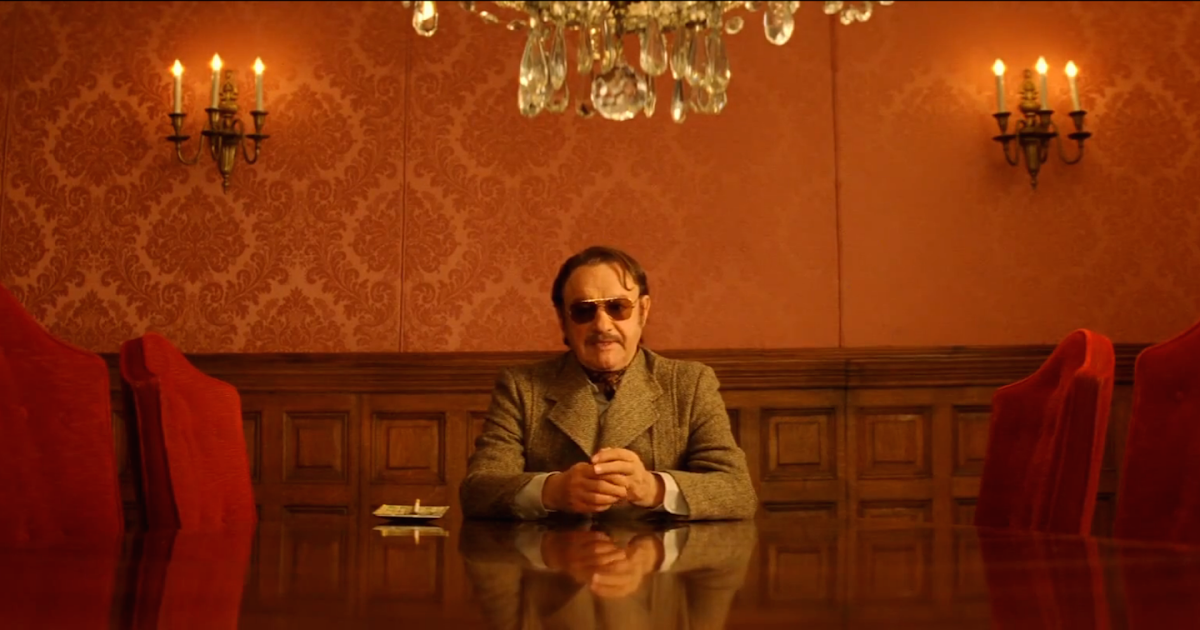
Aaand symmetry. Balance is good when you want balance. Imbalance is good when you don't. IT'S NOT ROCKET SCIENCE
Empty space, drag to resize
COMPRESSION AND RELEASE
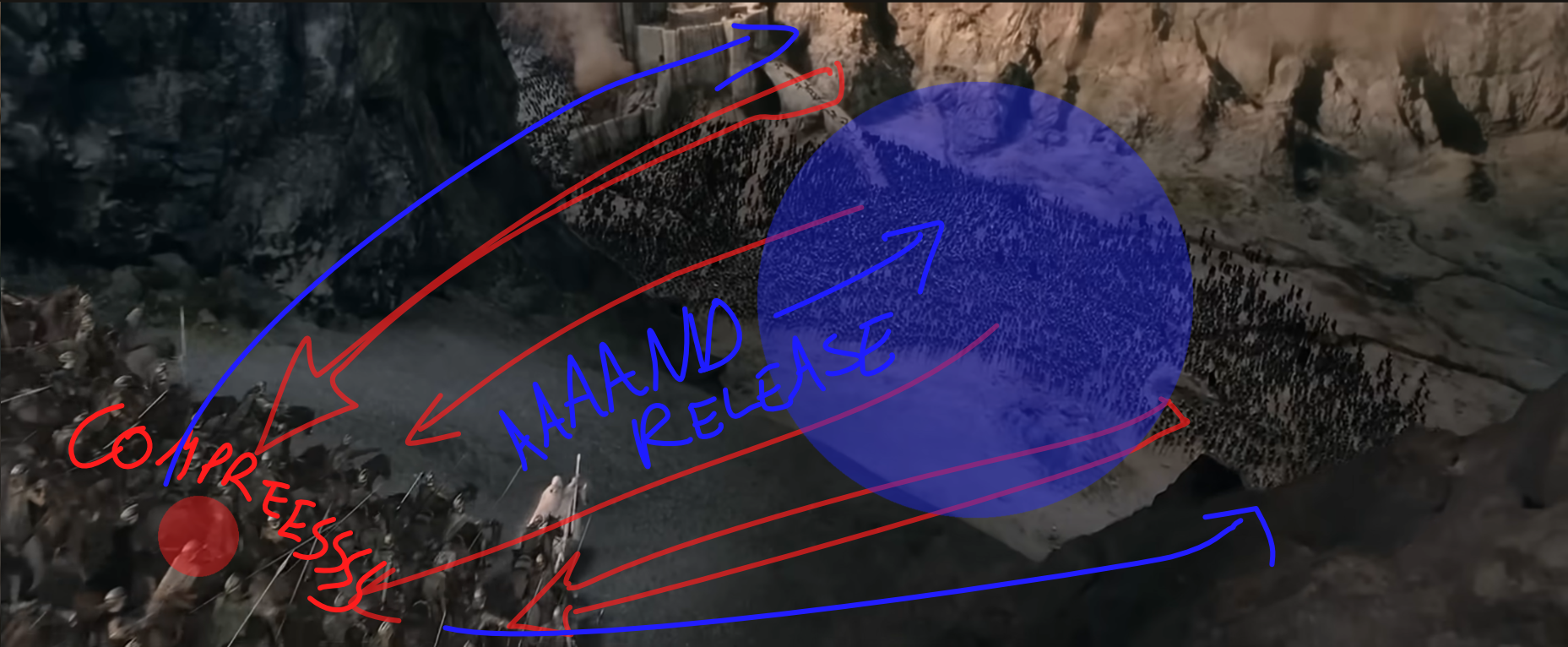
So with that in mind, I want to talk about a concept (certainly not a rule) that can be useful in composition - compression and release.
What makes this concept so powerful is that when used correctly, it loads a shot with tension. If you compress a spring, you're loading it with potential energy. If you compress a shot, you're doing the same thing. It's the same idea as suspense. The tension creates discomfort, and you reward the audience for holding on with relief - catharsis.
Gandalf gets it. Do you?
Empty space, drag to resize
GO FURTHER
As always, we've got a cheat sheet to explore and go further with the idea.
Empty space, drag to resize
Empty space, drag to resize
Empty space, drag to resize
Not currently a Shoot First student and want access to our AI templates along with all other filmmaking and vfx tutorials? Click the button below to choose the plan that suits you best.
Empty space, drag to resize
Empty space, drag to resize
Write your awesome label here.
Write your awesome label here.
Write your awesome label here.
Write your awesome label here.
Success! You're all signed up to the follow along!
Keep an eye on your email for updates and reminders
Write your awesome label here.
Write your awesome label here.
Write your awesome label here.
How do you want to make your film?
Close
Claim your 20% off
Thank you!