
Spoiler…no. But it COULD be useful!
To answer my own question from the title - no, don’t be silly, it’s not game over for 3D. Yes you can now generate 3D models and textures with AI, yes it’s clever, and no you shouldn’t believe the hype.
There are quite a few text-to-3d and image-to-3d programs, but from the tests I’ve done, I’d recommend Meshy. It gives you low resolution models with a lot of detail faked in the textures, with a very similar feeling to low resolution scans.
With all the experimenting that I’ve done with AI, my primary takeaway is this - it’s a lot less threatening when you try to use it for a specific purpose. Demos to hype the tech are one thing, but actually using this technology in your own work is something else.
So I’ve been experimenting with 3D AI with that in mind, and here I want to outline a few areas where I think it could be genuinely useful.
PRE/POST-VISUALIZATION
Pre-visualization (pre-viz) is creating quick/cheap 3D mock ups of your shots before you film them, so that you can plan them out. It’s a key component of more complex VFX shots.
Post-viz is throwing in some quick/cheap VFX on your footage once you’ve filmed it, so that you can edit with it.
I recently made a concept for a film being created by a friend of mine (if you’re interested, the concept was also an experiment in AI - I did a basic collage from photos, plugged that into AI, and painted a final concept using a mix of photos, AI images, and hand painting).
I plugged that in Meshys’ image-to-3D and the result is…hilariously bad. BUT, crucially, usable. If you’re blocking in shots, it’s enough to give you a feeling of what that shot would look like with a robot of that style in, and that’s all you need for pre or post viz.
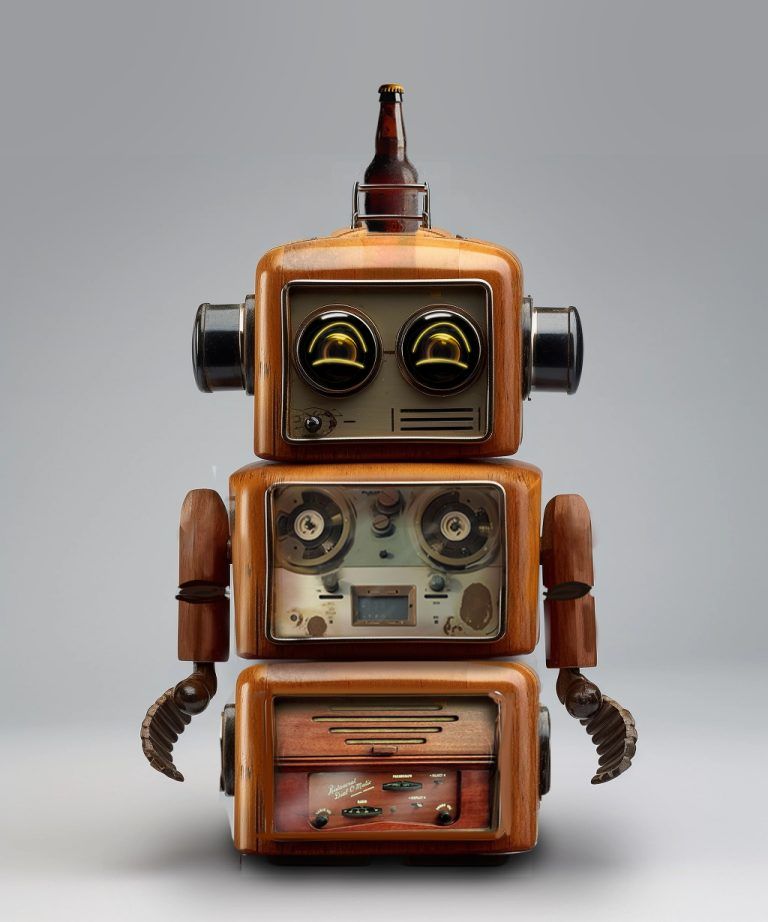
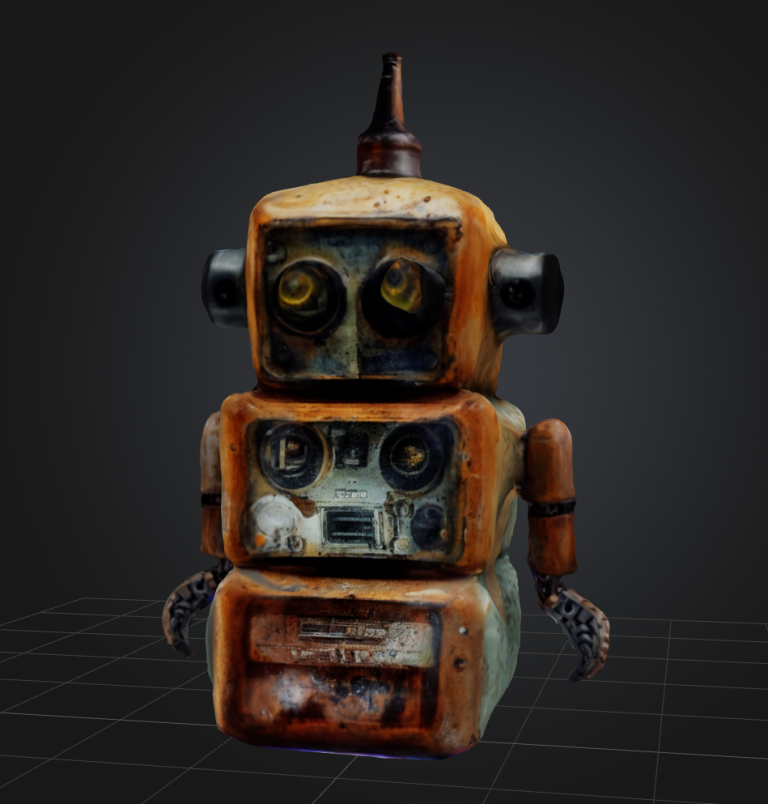
Meshy also gives you the option to animate creations, which I’ll touch on in a future AI-animation newsletter!
BACKGROUND/DETAILING OBJECTS
When you’re creating 3D environments, you often need a lot of objects to populate it, and a lot of variety, because that’s what the real world is like (take a look around you and think of all the objects that you’d need to make your current environment believable. If you’ve got kids, you’ll know that a real-world environment can be populated with a ridiculous amount of junk in a tiny amount of time.
A digital environment is more difficult to populate. The industry standard now is to use Quixel Megascans to drag and drop in whatever you need, since it’s a huge library of 3D models and textures (and there are many libraries available).
The main downside is that you can lose a lot of time (and sometimes money) looking for the right assets. AI generated assets allow you to create a library very quickly
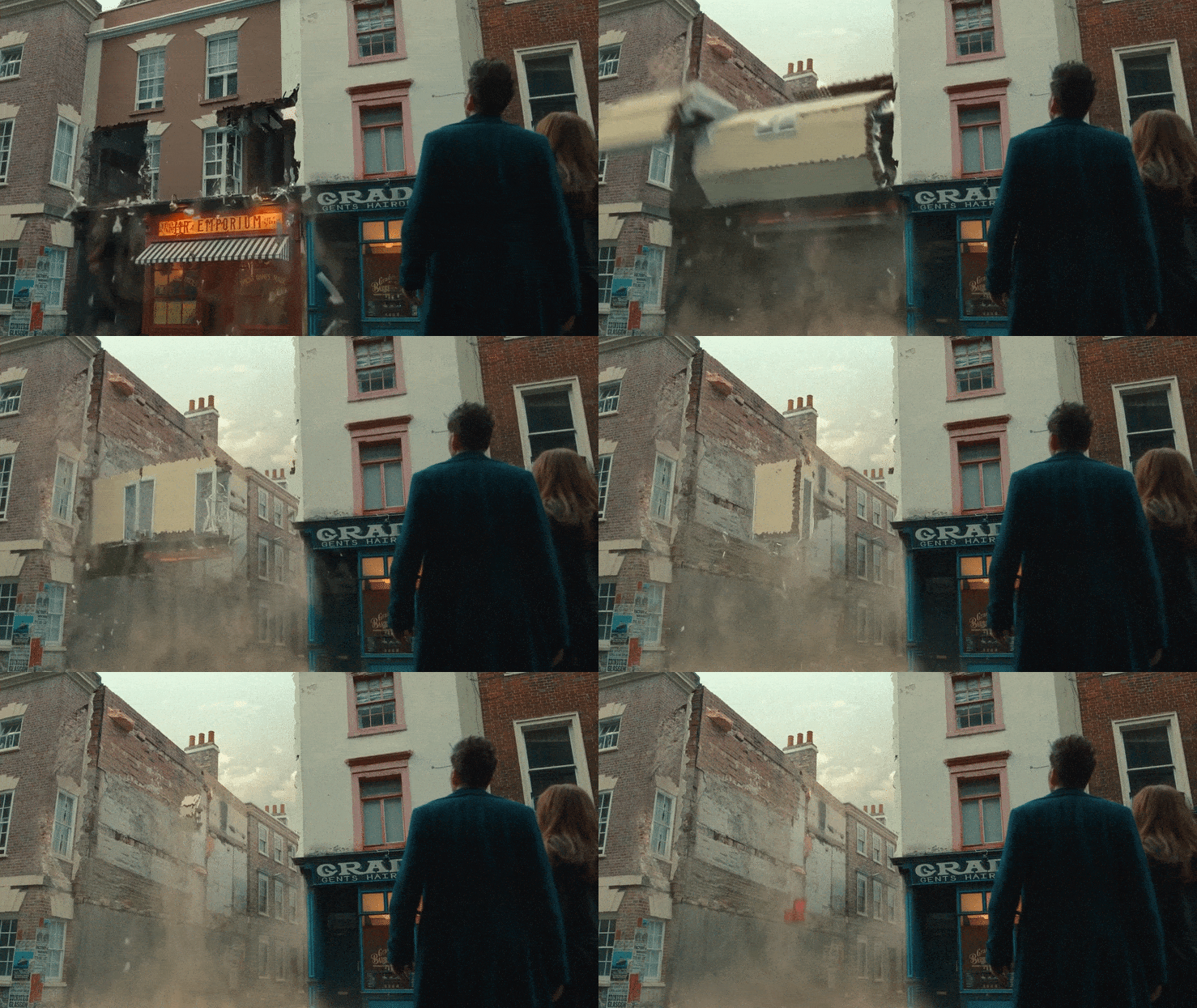
In this example from a shot I did for Dr Who, I needed a lot of Victorian era toys to populate the Toyshop, as well as beds, photo frames, and other decorations that would be seen only for a couple of frames as the shop folded up. Spending any time on them felt like a waste, but you would really notice if they weren’t there.
A couple of prompts in AI, and I can get good-enough models in no time.

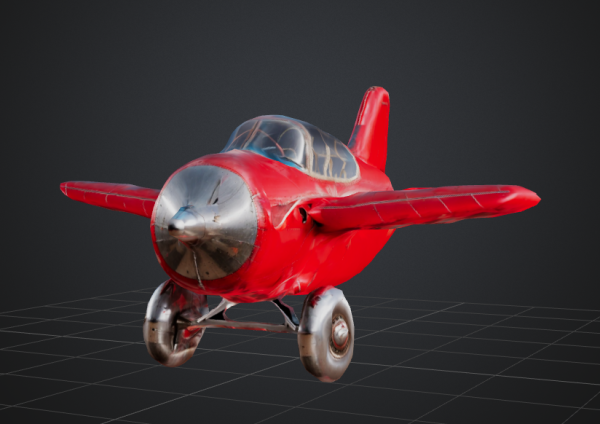
A couple of examples of models that would’ve been perfect for the Toyshop, and would’ve saved me time if the technology existed at the time!
A STARTING POINT FOR HIGHER QUALITY ASSETS
My experience in text-to-3d and image-to-3d has been the same in that I see a tool with great potential in the hands of someone who has experience with the fundamentals of the process (in this case design, 3d modelling and texturing).
When you’re comfortable working with 3D models and textures, you’ll split your time between building them yourself from the ground up, or adapting existing models (for example cleaning up scans).
If I needed an asset that would work close up in a shot, the examples above wouldn’t give me much of a head start, I’d be redoing a lot, but it’d save me some time. And I’m getting older…I’ll happily take that!
If you experiment with Meshy, bear in mind that it fakes a lot with texture, which is fine until you see the asset up close.
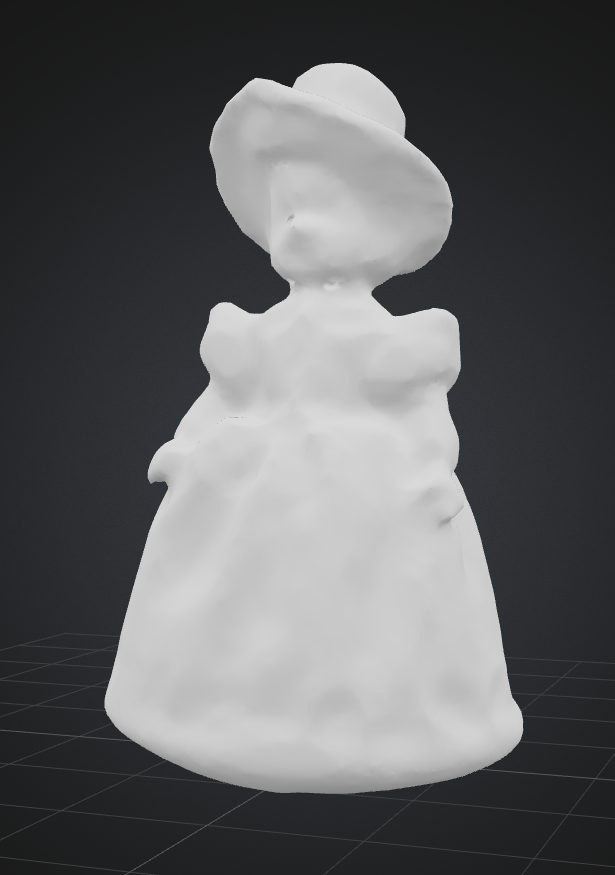
A textureless example of the doll above. Still pretty amazing, I think, but by God it’d need some work if you need it to be seen close in shot.