
What is a rig?
If you're alive and want to move, you're going to need a skeleton. If you're working in 3D and want to move 3D things, they're going to need the digital equivalent - a rig.
A set of connected bones is just half of a rig though - the other half is having controllers to move it. Think of it like a traditional rod puppet; yes it needs to be structurally stable, but you also need something to move it. So...one half bones, one half controllers, but the final half is making sure that it looks good when you animate it. That's largely do to do with "weighting", which is how much each bone controls each area.
Get your finger bones clicking and your brain bone learning with our latest cheat sheet!
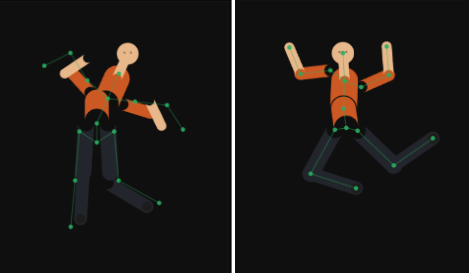
What's Inside
- Joint placement – interactive, move the joints on a 2D figure and see how it changes the movement.
- Controllers – why animators touch those instead of the joints directly.
- FK vs IK – demonstrated on a simple arm.
- Joint chains – what changes once you're rigging something long, like a tail or tentacle.
- Weight painting – interactive, so you can see what "importance" actually means on a mesh.