
Jun 23
/
Christian Bull
EXPOSURE TRIANGLE
For those of you who are unfamiliar with, or new to photography, this one's for you! The concepts we're covering here will become incredibly important to understanding not only photography, but also grading (since grading concepts piggyback off photographic knowledge), and VFX (VFX renders are primitive simulations of the real world). If you only ever learn one thing about photography, this is probably it!
Every camera - phone, DSLR, cinema rig - controls light the same three ways. Together, they're called the Exposure Triangle.
Empty space, drag to resize
THE THREE CONTROLS
Aperture is the hole inside your lens. Make it bigger and more light hits the sensor. It also controls depth of field (DoF)- a wide aperture blurs the background, a narrow one keeps everything sharp. The more that you can push your aperture open (the lower the f-stop number goes), the more DoF, and the more light. That's great for low light, and generally cinematic feeling images, downside is that you pay through the nose for it!
Shutter Speed is how long the sensor stays open. A fast shutter freezes motion. A slow one lets in more light but creates blur - which can look cinematic, or messy, depending on what you want. For natural-looking motion blur, your shutter speed should be roughly double your frame rate.
ISO is your camera's sensitivity to light(ish). Low ISO = clean image. High ISO = brighter image, but with grain. If you're using film, the ISO is dependent on the film stock. In a digital camera, it's pretty much fixed depending on the sensor, and you're just cranking the gain (basically brightness) up and down. This can also be done in post-production, and behaves in largely the same way.
Empty space, drag to resize
PUTTING IT TOGETHER
The triangle is the relationship between all three. Change one and you'll need to adjust the others to keep your exposure balanced. There are rules to using them, which can help, but I always recommend just getting used to changing them in camera.
Empty space, drag to resize
TRY IT YOURSELF
If you don't have access to a camera outside of your phone, that's normally fine - most phones will let you change them. If you're lucky enough to have a relatively modern phone, I highly recommend the Black Magic Camera app, which is free and gives you a professional camera interface on your phone. If you get used to playing with the exposure triangle there, you're learning the same language as you would on a professional camera and lens.
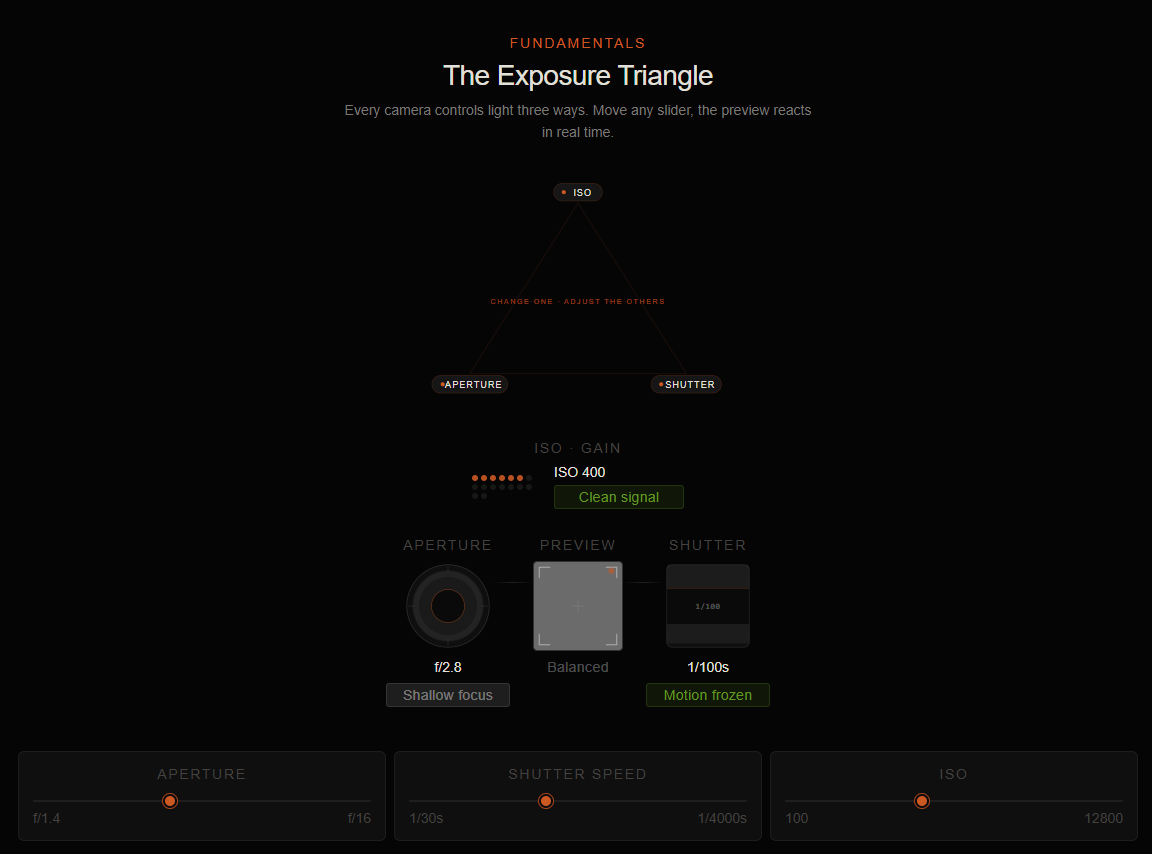
I also built an interactive template, so you can get a feel for the concepts without even touching a camera, take a look here→
Empty space, drag to resize
Empty space, drag to resize
Empty space, drag to resize
Write your awesome label here.
Write your awesome label here.
Write your awesome label here.
Write your awesome label here.
Success! You're all signed up to the follow along!
Keep an eye on your email for updates and reminders
Write your awesome label here.
Write your awesome label here.
Write your awesome label here.
How do you want to make your film?
Close
Claim your 20% off
Thank you!