
A few people in the community have asked where to find practice footage when you don’t have a camera, a crew, or a project of your own running.
Fair question - although my recommendation is to shoot stuff yourself. Even if you’ve just got an old phone with a crap camera, it’s only by trying to shoot, edit, and grade your own footage that you can find its limits, and then it’s easy to appreciate when more bit depth, or a better camera, or a better lens is useful, and why.
If you only ever work on professional footage, you’re missing out on half the learning, which is getting to an end result even when things aren’t perfect.
Having said that, if you’re learning the principles of grading that we’re covering in the Intro to Resolve series, or you’re doing VFX work, quality plates can be useful. Of course we share stuff we shoot in-house in our own library, which will continue to grow,but there’s a wider world of free plates out there too, if you know where to look, each with their pros and cons.
So here’s some recommendations:
Empty space, drag to resize
NETFLIX'S OPEN CONTENT
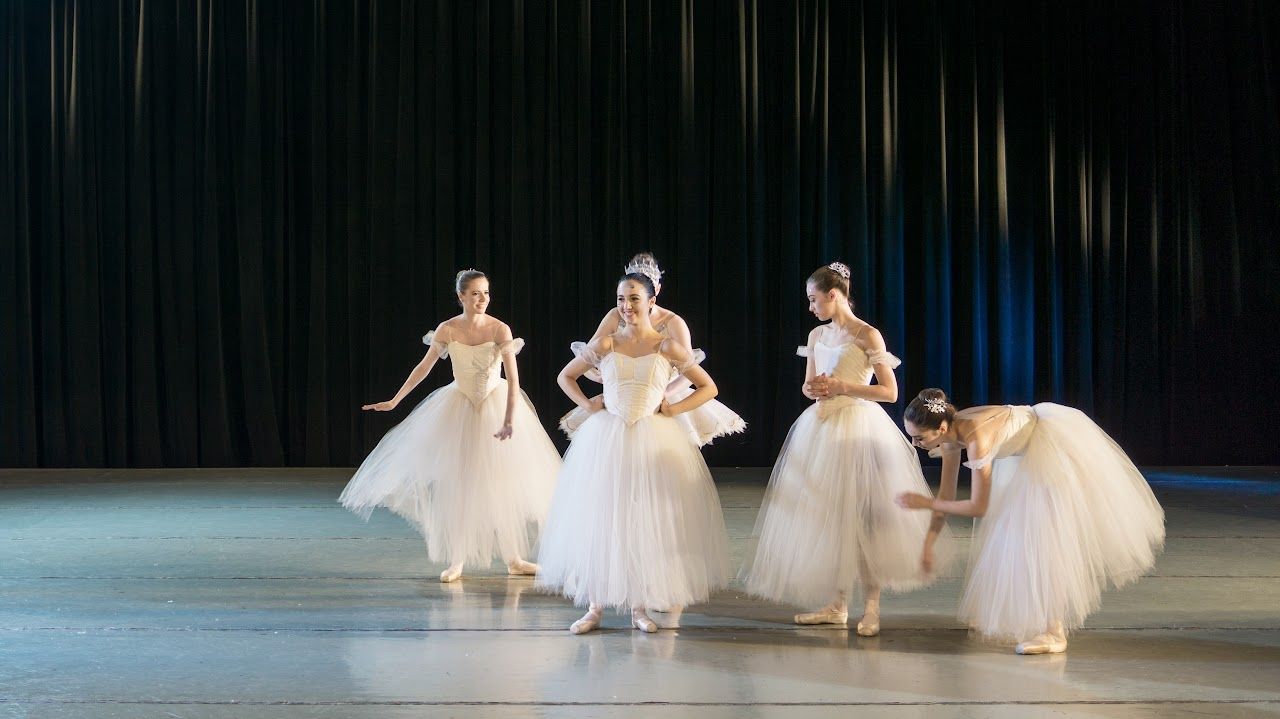
Beautifully shot, and free - Netflix's open content!
Netflix’s open content is great. Gorgeous, professionally shot 4K material, genuinely useful if your focus is colour work. When you click on the assets, it’ll complain about the link, but it’s safe and legit, so hit “Ignore”. It’s made for people who are technically comfortable with colour management and working with professional footage. If you get stuck, reach out. It might be worth us doing a video on working with this footage, happy to do that if there’s a need
Empty space, drag to resize
BLACKMAGIC DESIGN
Blackmagic Design ships demo footage shot on their own cameras (Pocket Cinema, URSA) in Blackmagic RAW, specifically so you can test grading and codec handling in Resolve before you commit to a workflow. It’s not all in one place, since they have samples per camera, so you’ve got to check out the cameras and go to gallery. You’re too lazy, you say? Fine, here’s ONE, but do the rest yourself.
Ok FINE here’s another one.
Empty space, drag to resize
TEARS OF STEEL
Tears of Steel, the Blender Foundation’s open source short film, is over a decade old, but it’s still great for VFX practice. Greenscreen, full raw EXR sequences shot on a Sony F65, and roughly five times more footage than made the final cut. If you want to practice keying, tracking and compositing on an actual production with real continuity and lighting setups, this is it.
The EXRs (image files that make up the shots) are all uploaded separately though, so to avoid a thousand years of clicking, you can ask Claude for a way to do it. What? Too lazy? FINE. I made a Tears of Steel downloader, which you can get from here. There’s a video shot list on YouTube here, with the shot name in the top left corner. Stick the shot name that you want into the downloader, choose whether you want full res or HD, and get downloading.
Alternatively, there's a Chrome plugin "DownThemAll!" to download multiple files from any website, although you'll want to go to your Chrome settings and untick "Ask where to save each file before downloading", or set aside 2 working days to click through every single file.
Alternatively, there's a Chrome plugin "DownThemAll!" to download multiple files from any website, although you'll want to go to your Chrome settings and untick "Ask where to save each file before downloading", or set aside 2 working days to click through every single file.
Empty space, drag to resize
HOLLYWOOD CAMERA WORK
I use Hollywood Camera Work plates in quite a lot of the VFX instructional content. I used them as a student, meaning they’re..ahem.. “well aged”, and very low quality compared to what you’d get with a prosumer camera today. But for practising keying, matchmoving and tracking, you’ll struggle to find better.
Empty space, drag to resize
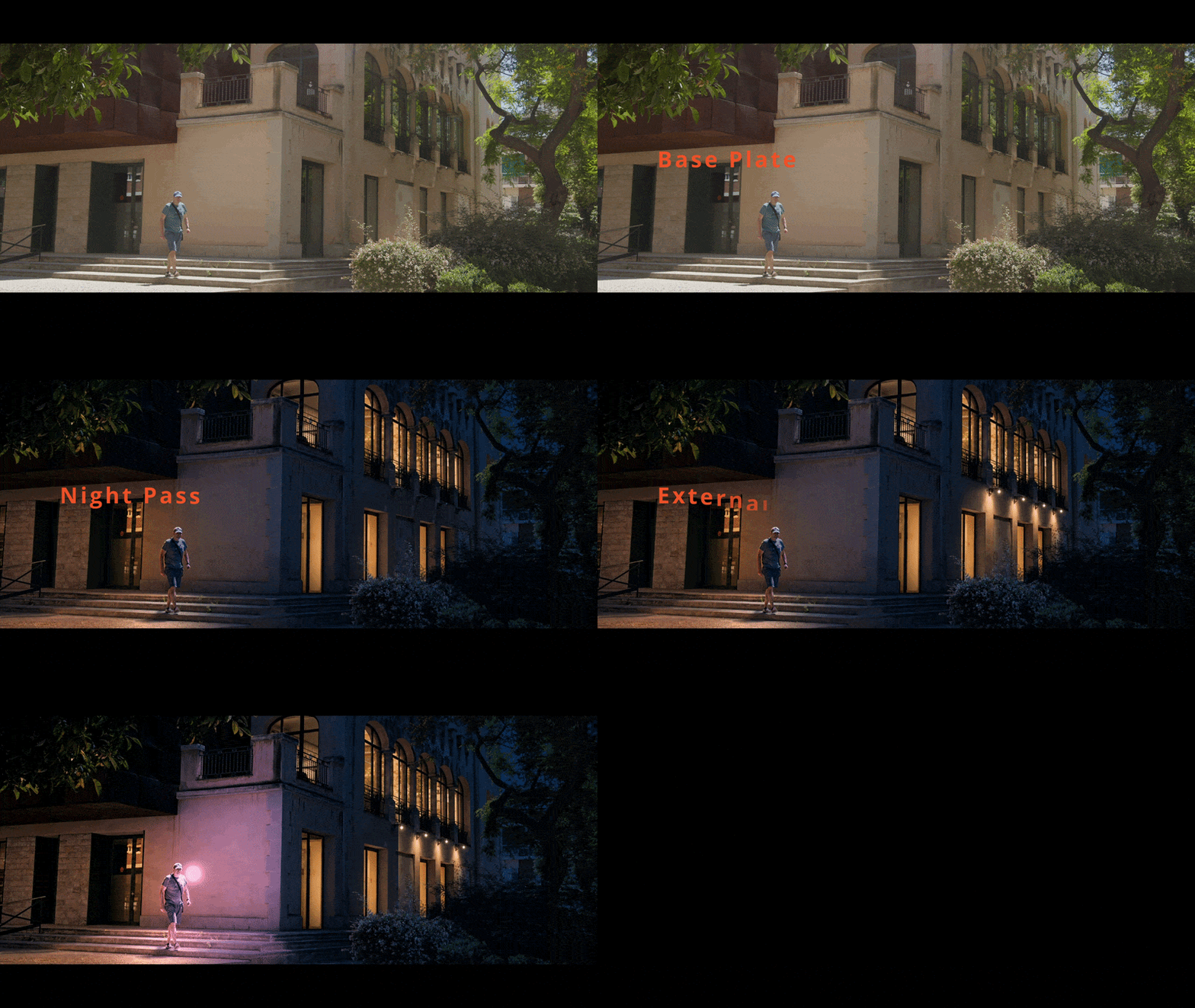
What’s that? You think it’s great that you know where to get this footage and you want to use it to experiment with using AI for relighting? You’re in luck!
This week’s Follow Along covered exactly that, and you can get access to the entire workshop, plates, and Resolve project files on our platform.
Empty space, drag to resize
Empty space, drag to resize
Empty space, drag to resize
Not currently a Shoot First student and want access to our AI templates along with all other filmmaking and vfx tutorials? Click the button below to choose the plan that suits you best.
Empty space, drag to resize
Empty space, drag to resize
Stay in the loop.
No commitment · we'll keep you posted
🎬
You're in.
Check your inbox — we'll be in touch
Write your awesome label here.
Write your awesome label here.
Write your awesome label here.
Write your awesome label here.
Success! You're all signed up to the follow along!
Keep an eye on your email for updates and reminders
Write your awesome label here.
Write your awesome label here.
Write your awesome label here.
How do you want to make your film?
Close
Claim your 20% off
Thank you!