
Get ready for some head smashing fun in this in-depth VFX tutorial!
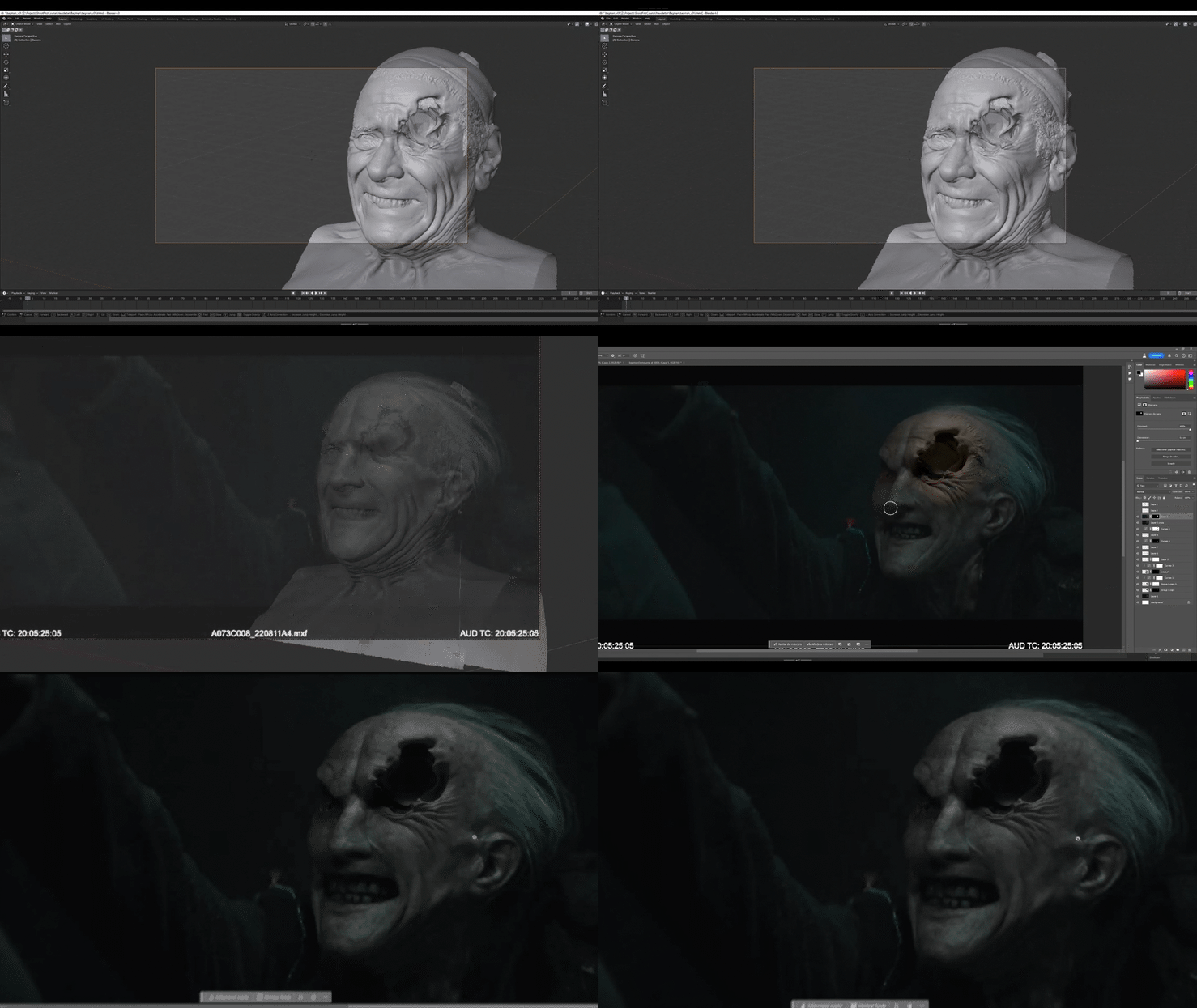
This isn’t just any deep dive; it’s a fantastic opportunity for a live demonstration of a method I love - using 3D scans as the foundation for my concepts. This approach gives you the bonus of perspective, shading, and lighting, without having to paint those things yourself. It’s also incredibly practical - once your concept is signed off, you already have a 3D base to use in your VFX shots.
What to Expect:
This week’s video breaks down the processes I used to create the final concept for the film Bagman for Lions Gate. I’ll be recreating those steps in real time! Here’s what you’ll see:
- Taking a 3D scan of a head into Blender
- Sculpting to create all that gruesome, gory damage
- Lighting it to match the plate
- Adding in the correctly toned skin shader
- Finally, pulling the whole concept together from scratch in Photoshop
Ready to Follow Along?
To dive into this process yourself, you’ll need a basic understanding of Blender. But even if you’ve never opened it before, this tutorial will help you grasp the mechanics of the process, and understand how useful it can be. It’s a powerful skill set to develop!
In my concepting workflow, I mix hand painting with photo bashing, 3D, and even AI-generated imagery. They all have a place, but I have a soft spot of using 3D bases because then you are literally making the thing that you want to use for your film (as opposed to just making a cool painting)
A Little Heads-Up:
This tutorial is a bit of a marathon - nearly 1.5 hours long - because I’m covering a lot of ground. There’s so much to learn both in terms of theory (how to deconstruct shot light), and very practical (exactly which options you’ll want to use in Blender to get certain results).
So sit back, enjoy, and hopefully… don’t get too grossed out…