
Mar 13
/
Christian Bull
LoRAs, ControlNet, and Prompting (done right)
AI Generation Theory
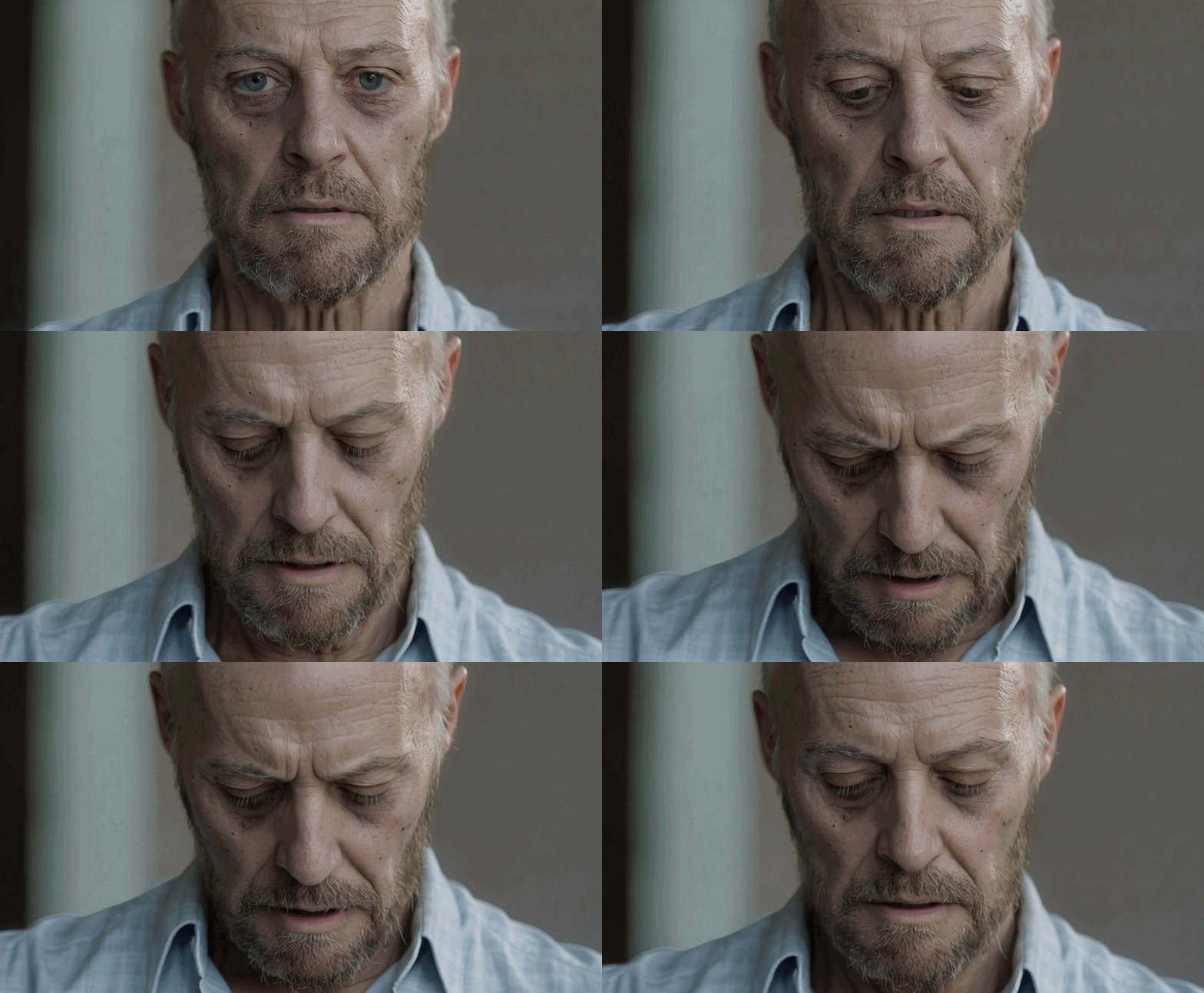
This is the oldest I could get our actor - using a mixture of prompting, ControlNet, and a bit of old fashioned Photoshop. Artist of the Month prize goes to any one of you that can get him older! (A LoRA could help…)
Empty space, drag to resize
This week we’re celebrating Friday by wrapping with the theory part of our Intro to Video Editing with AI, with an hour of fresh content that covers different ways that we can get hands-on control over our generated content.
Let’s touch on each one
Empty space, drag to resize
LoRAs
LoRA is a way to fine-tune an AI image model without retraining the whole thing.
Think of the base model as a skilled painter who knows how to paint everything. A LoRA is like giving that painter a reference booklet - "paint everything, but in this specific style / with this specific face / in this specific aesthetic."
What LoRAs are used for:
- Style - make outputs look like watercolour, anime, a specific artist's work
- Character/face consistency - teach the model a specific person or character
- Technical improvements - improve lighting and realism
Why they matter:
- Small file size (often just 50–200MB vs. full models at several GB)
- Easy to share and stack (you can combine multiple LoRAs at once)
- Fast to train on consumer hardware
- Dependable results (as we’ll see in the videos, we can often use prompting to get to a similar place, but not with the same consistency)
Empty space, drag to resize
Empty space, drag to resize
ControlNet
How much you can move away from your starting point towards your new image. If you’re generating an image from nothing, you need to deviate a lot from nothing to get something. So a high denoise is the way to go. If you’re looking to edit an image (for example make someone old using our digital makeup template), you might not need to deviate too much.
How it works
You feed the model a control image - a structured visual guide - alongside your prompt. The model uses that guide as a spatial constraint.
Common control image types:
- ViTPose - a skeleton stick figure defining body position (In our digital makeup template this is what we’re using to track the movement of the actor’s face)
- Depth map - a greyscale image showing near/far distances
- Normal map - a coloured image that gives an indication as to which direction in space every part of the image is facing
- Edge/Canny - outlines of shapes and objects (this is what we use in our Digital Makeup Template)
- Segmentation map - colour-coded regions (sky, ground, person, etc.)
A practical analogy
The base model is an illustrator. A prompt is a written brief. A ControlNet is like handing that illustrator a rough sketch or blueprint - they still bring their own style and detail, but they follow your structure (and as you’ll see in the video, you can control exactly how much they follow)
Empty space, drag to resize
Empty space, drag to resize
Advanced Prompting
I’m not one for “prompt engineering”, but there IS stuff that we need to know about prompting, and using the correct or incorrect approach will make a big difference to your end results.
Most people use the incorrect approach, so in Part 8, we’ll cover the correct approach (obviously…)
Empty space, drag to resize
Write your awesome label here.
Write your awesome label here.
Write your awesome label here.
Write your awesome label here.
Success! You're all signed up to the follow along!
Keep an eye on your email for updates and reminders
Write your awesome label here.
Write your awesome label here.
Write your awesome label here.
How do you want to make your film?
Close
Claim your 20% off
Thank you!