
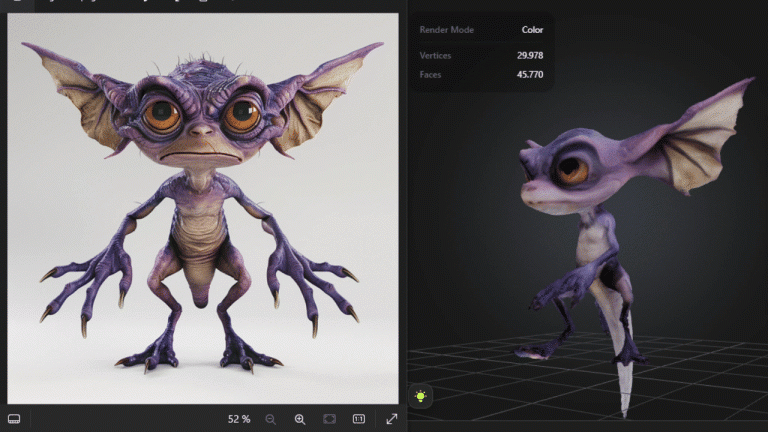
Pretty much 3 clicks - one for the image, one for the model, and one for the animation. The tail isn’t motion captured though, it’s actually a technical glitch due to Meshy’s rig not working with tails, but happens to feel somewhat realistic!
When we talk about AI-generated or AI-assisted mocap, we’ve traditionally been focused on creating motion capture from video footage rather than from suits. But things are changing, and we’re diving into something new and exciting!
If you’re subscribed to our channel, you’ve probably seen our in-depth videos covering these topics. But let’s talk about something fresh: Deep Motion’s new text-to-mocap feature. You can even play with it yourself here.
So, how does it work? It’s drawing on a library of existing motion capture data, which, admittedly, is much smaller than the vast datasets used by Midjourney or ChatGPT. The big question is: Is it still useful despite the limited data?
Well…not really! It’s fun to play with and handles basic actions like running, jumping, and dancing quite well. But, there’s already a huge library of that kind of stuff over at Mixamo. So, what’s the point of AI-generated mocap?
I tried to get a bit more creative with the prompt:
“Someone, deeply engaged in an animated phone conversation, suddenly stands up and dashes out the door. Once outside, they trip, clutch their knee in pain, and after a few seconds, get up again, shaking their head and slowly hobbling away.”
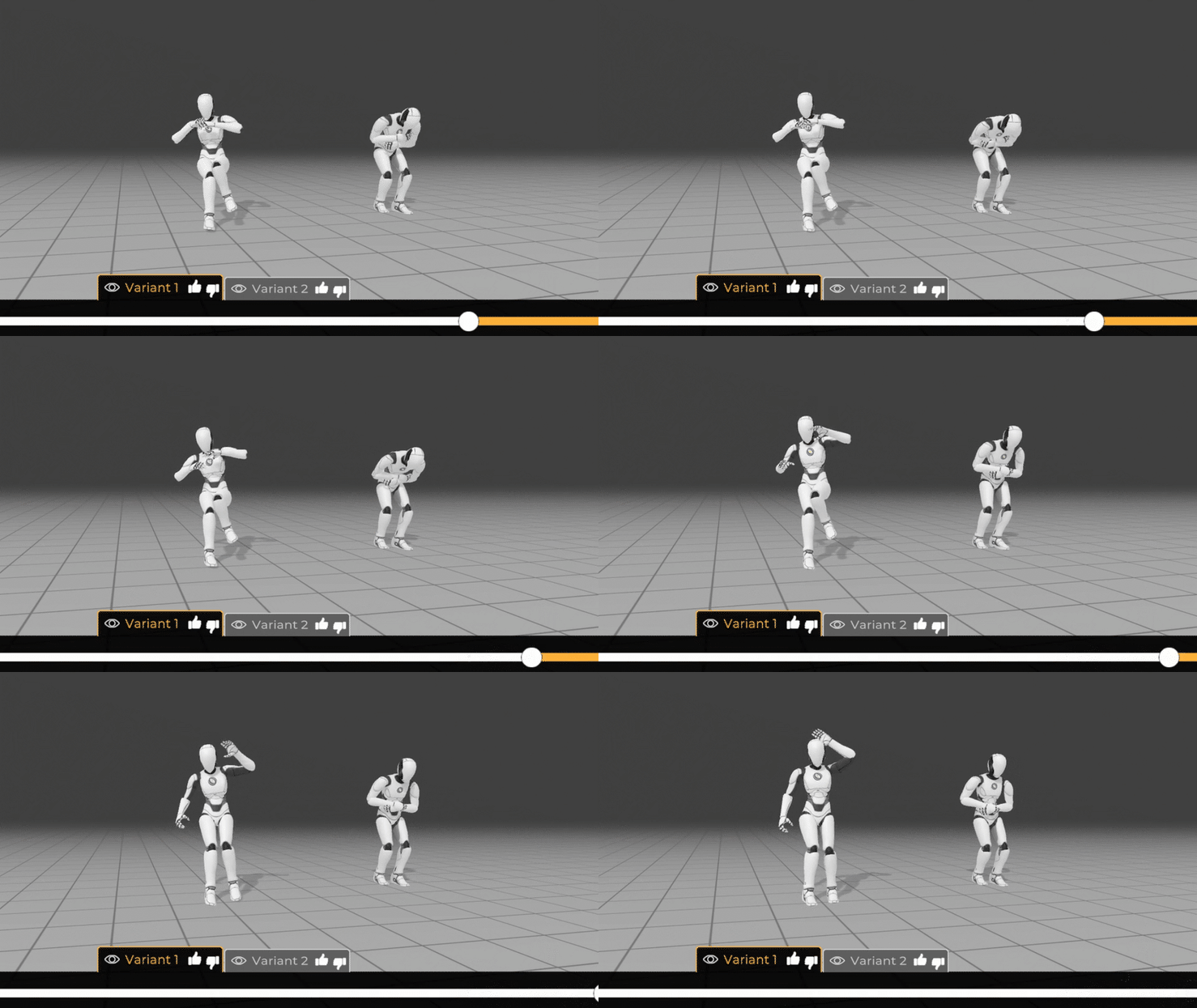
Like all things AI, this approach will likely improve in the future, but it needs a lot more data. My guess? We’ll see more progress from generating movements in video and using that to drive the motion capture. You could actually try this now with text-to-video and put the result through Wonder Dynamics, but don’t get your hopes up—AI-generated human movement is still not as good as the real thing!
If you’re feeling adventurous, you can take AI-generated concepts all the way to animated characters. Use AI image software like Midjourney to create your character in a T-pose on a plain white background. After a few iterations, you’ll get something Meshy can turn into a 3D character. Then, you can run motion capture through it!
Meshy also offers animation clips you can drop straight onto your character. For a more complete solution, take that 3D character into Wonder Dynamics, where it can track your camera, motion capture your performers, paint them out, and replace them with your 3D character.
I’ll cover all these AI processes in more detail with some videos on the platform soon. In the meantime, I’d love to see what you come up with!
Have a fantastic weekend!